LOCAL REALITY FIELD NOTES / PRACTICAL ASTRONOMY
Smartphone astrophotography: a practical first-night guide
You do not need a telescope or a new phone to begin photographing the night sky. Start with a stable phone, a simple target and short test shots; learn what your camera can capture before buying accessories.
FIELD GUIDE · UPDATED OCTOBER 14, 2026
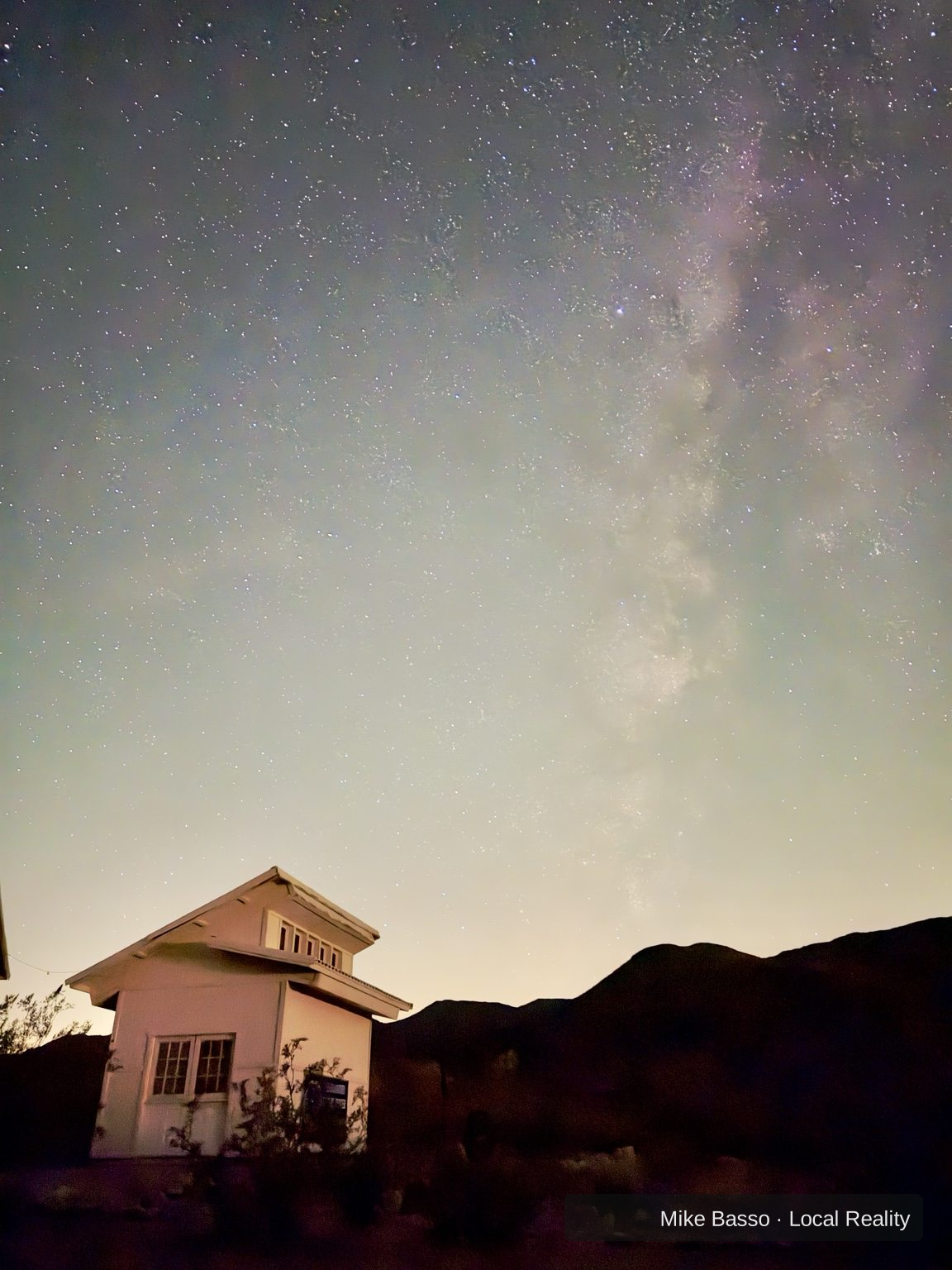
The first goal is a repeatable, sharp frame—not a perfect Milky Way image. Phone cameras vary widely, and the same phone behaves differently in a city, under a dark sky, and when aimed at the Moon. Start with the target and conditions you have.
Pick the right first target
- The Moon: bright and easy to find, but the phone may overexpose it. Tap to focus and reduce exposure if your camera offers that control.
- Bright constellations or star patterns: a darker location and steady support help the phone record more stars.
- Milky Way landscapes: usually require a darker sky, less moonlight, a clear view and a camera mode that can make a longer exposure. Results vary by phone.
Set up a steady shot
- Clean the camera lens with a soft cloth.
- Support the phone on a tripod or a stable surface. Keep it secure and away from edges or traffic.
- Use the main rear camera first. Digital zoom usually crops the image rather than collecting more light.
- Use a timer or remote shutter so tapping the screen does not shake the phone.
- If your camera has a night mode, enable it and keep the phone still for the entire capture.
Focus and exposure: change one thing at a time
Autofocus can struggle in the dark. Tap a bright star or distant light if it is safe and useful to do so; if manual focus is available, make small adjustments and inspect the result. Some phones lock focus or exposure when you press and hold; behavior differs by camera app.
Start with the camera’s night mode or a few seconds of exposure if manual controls are available. Take a test, inspect star shapes and highlights, then change one setting at a time. Longer exposures gather more light but can also make stars trail if the phone moves or its computational mode combines frames in a way that does not suit the scene.
Why the image might look wrong
| Symptom | First thing to test |
|---|---|
| Everything is smeared | Brace the phone, add a timer and repeat the same exposure. |
| Stars are missing | Try a darker location, reduce nearby light, and use a night mode designed for the sky. |
| The Moon is a white blob | Reduce exposure; the Moon is much brighter than the surrounding sky. |
| Bright sky, little contrast | Check moonlight and nearby lighting. More ISO cannot remove light pollution. |
| Focus seems soft | Clean the lens, tap a distant target and check the full-resolution image. |
Should you buy a tripod or telescope adapter?
Only after you know what is limiting your current results. A small, stable phone tripod can help with repeatability. A telescope eyepiece adapter can be useful for photographing the Moon through an eyepiece, but fit depends on your phone, case, eyepiece and telescope. Deep-sky imaging through a telescope is a separate, more demanding workflow.
Do not buy a long list of accessories in the hope that they will fix focus, poor seeing, a bright sky or an unstable setup. Try several test sessions first and write down what actually improved the image.
Plan for conditions, not just camera settings
Cloud, haze, moonlight, nearby lights and access all affect the result. Use the free Local Reality night planner to research a possible outing and prepare a brief. It cannot guarantee clear skies or confirm legal access, so verify official rules and the local forecast before leaving.
For more camera-specific troubleshooting, read Your first night-sky photo: fix the problem before buying gear ↗. For the difference between a Moon night and a Milky Way night, see Moon or Milky Way? ↗.
Learn from trusted astronomy resources
- NASA: Astrophotography with your smartphone — stability, focus, exposure and practice.
- NASA: A Guide to Smartphone Astrophotography — a longer educational guide.
These resources inform the general techniques above; they do not endorse Local Reality.
Sources and further reading
- NASA Night Sky Network: Astrophotography With Your Smartphone — steadiness, focus, exposure and practice.
- NASA: Lunar Photography Guide — Moon photography with a phone or camera.